
Parental controls by Jesora Labs
Protecting their digital world.
Age-right website filtering, fair screen time and a simple way for children to ask. Guardian is visible on every device and never hidden, so your child knows what it does and why.
No payment details for the trial. Adult, malware and phishing blocking keep working after it.
How it works
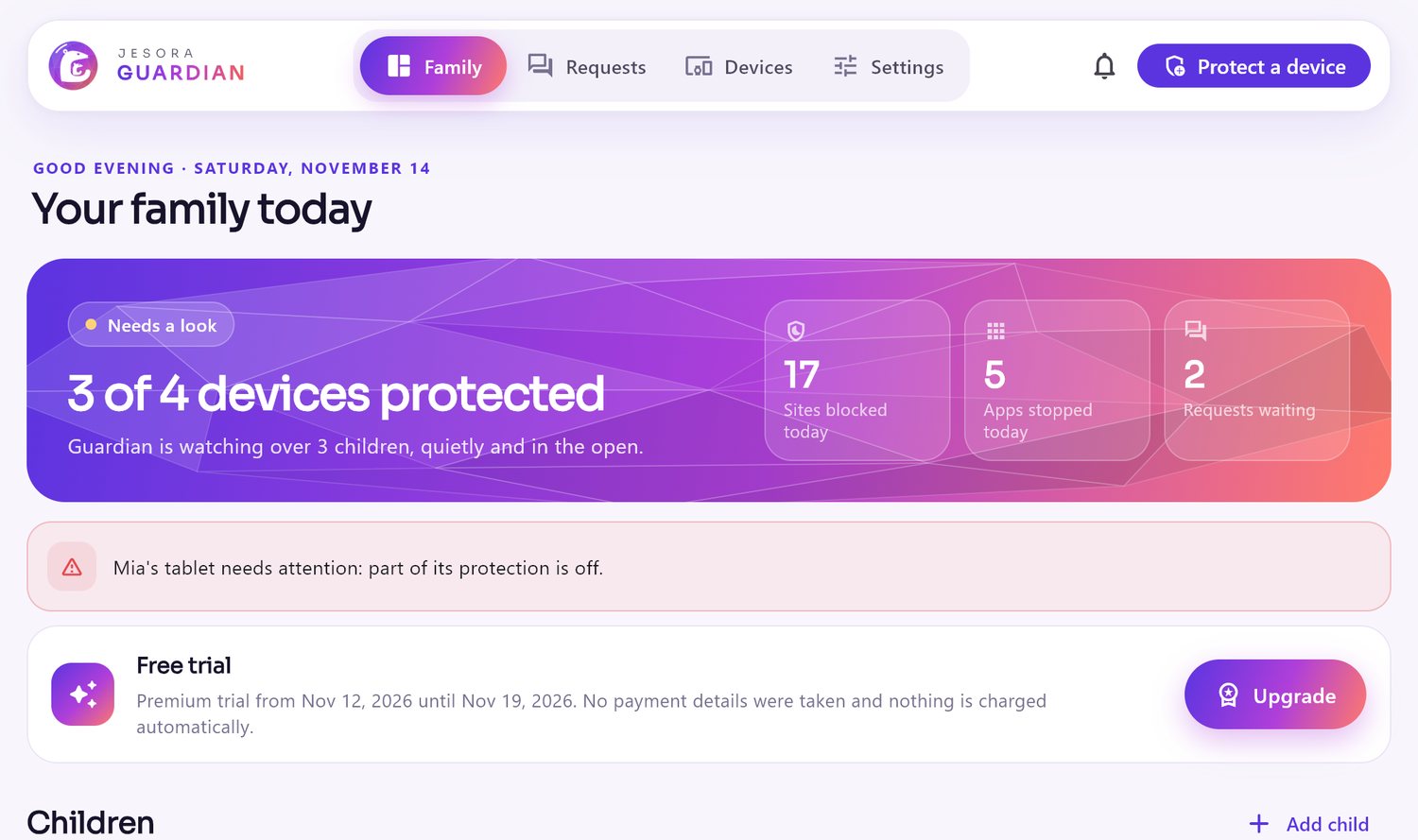
Set up in minutes, then mostly out of the way
Choose your child's age and Guardian suggests the rules. Change anything, any time, from your phone or computer.
Add your child
Pick an age band (5–8, 9–12, 13–15, 16–17) and a level: strict, balanced or relaxed. Guardian fills in websites, apps and screen time to match.
Protect their devices
Install Guardian on your child's PC or Android phone and scan the pairing code. The rules arrive signed, and keep working offline.
They ask, you decide
When something is blocked, your child can ask for it with one tap. You get the request and approve it for an hour, a day, or not at all.
Features
Everything a family needs, nothing it doesn't
One plan with every feature. No add-ons, no tiers.
Website filtering
Adult, gambling, violence, drugs, self-harm and more, in every browser and app. SafeSearch and YouTube Restricted Mode are forced on.
App and game limits
Block an app, give games an hour a day, or keep learning apps always open. Rules match TikTok, Roblox or WhatsApp on every device.
Screen time
A daily limit for each day of the week, with a friendly warning five minutes before it runs out. Extra time is one request away.
Bedtime and school time
Devices rest at bedtime. During school hours only learning and chat apps work. Phone calls always do.
Ask a parent
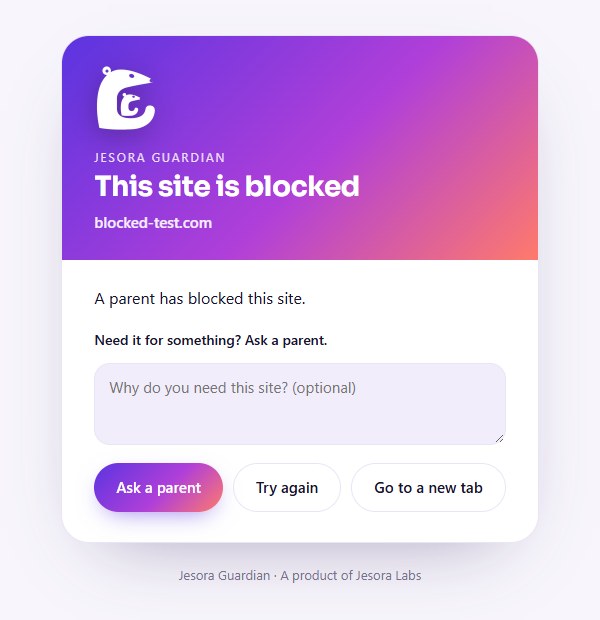
A clear block page instead of an error, with a button to ask. Requests reach you as notifications, and you answer in seconds.
Reports and alerts
Screen time per app, blocked sites and devices that stopped checking in. A gentle wellbeing alert if your child looks for self-harm content.
What your child sees
Rules they can understand
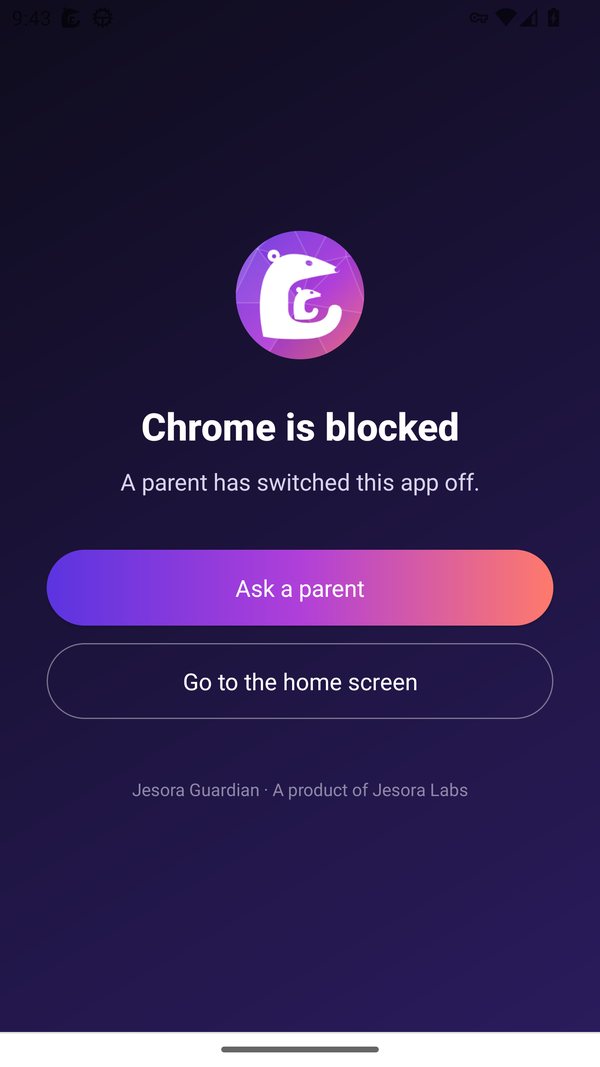
Guardian explains instead of breaking things. Children see why something is blocked and what they can do about it.
- A Guardian page in the browser, not a confusing connection error
- A calm full-screen message when an app is paused or time is up
- Their own screen: time left today and their requests
- Supportive words and a helpline, never a scolding, on sensitive topics
Devices
Where Guardian works
Each system allows different things. We say exactly what Guardian can do on each, and never more.
Windows 10 and 11
Filtering for every browser and app, app limits, screen time and bedtime. Your child should use a standard (not administrator) account.
Android 8 and later
Filtering through an on-phone VPN, app limits, screen time and bedtime. Fully locked down on phones set up with Guardian's QR code.
Mac
A system extension for filtering, plus app limits and screen time, on macOS 13 and later.
iPhone and iPad
Built on Apple's Screen Time: Apple's own shields block apps and websites, and limits follow your rules.
The parent app runs on Android, iPhone, Windows and Mac. Chrome, Edge and Firefox get the Guardian extension for the block page.
Privacy
Protection, not surveillance
Guardian is built to keep children safe while respecting them. Trust grows when children know what is checked and why.
Never read
Messages, keystrokes, passwords, photos and the words on web pages are never read or sent. Guardian sees website names, not what is on them.
Always visible
Guardian shows on every protected device, with a notification while it works. It can't be hidden, and it tells children what it does.
Kept short
Blocked-site logs are kept 30 days, screen time 90 days. Export or delete your family's data in the app at any time. Privacy notice
Pricing
One plan for the whole family
Every child and every device, every feature. Try it free for 7 days with no payment details.
After the trial, free
If you don't upgrade, Guardian keeps the essentials on for every device:
- Adult, self-harm, malware and phishing blocking
- SafeSearch
- Your existing devices stay protected
Guardian Premium
US$6.99 a year in the US, local prices elsewhere.
- All categories, apps, games and screen time
- Bedtime, school time and schedules
- Requests, reports and alerts
- Every child, every device
On phones you subscribe in Google Play or the App Store and cancel there any time. On computers you pay on this website (Razorpay in India, PayPal elsewhere). The price is shown with the renewal date before you confirm.
Questions
Good to know
Can my child switch Guardian off?
Not without you. Turning protection off needs your parent PIN or a one-time unlock code from your app. If someone tries to remove it, you get an alert. On Windows your child should use a standard account; on Android, turn on "Always-on VPN" (Guardian shows you how), or set the phone up with Guardian's QR code.
Does Guardian read my child's messages?
No. Guardian never reads messages, keystrokes, passwords, photos or page content. It checks the names of websites against category lists and counts minutes per app.
Does it slow the internet down?
No. Guardian only checks the name of each website once, on the device, and remembers the answer. Pages load as usual.
What happens when the trial ends?
Nothing is charged: we never asked for payment details. Adult, malware and phishing blocking stay on. Upgrade to keep app limits, screen time and the rest.
My child needs a blocked site for homework.
They press Ask a parent on the block page. You get the request and can allow it for an hour, a day, or always. You can also add sites to your allow list.
Get Guardian
Coming soon
Jesora Guardian is in final testing. The apps arrive in Google Play, the App Store and here for Windows.